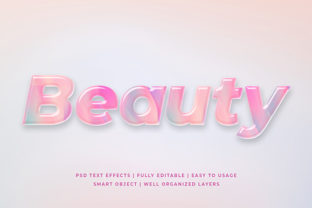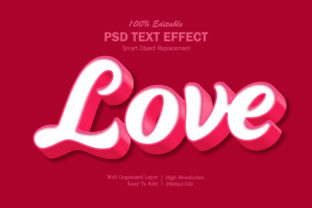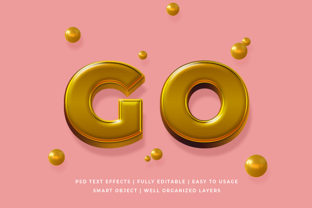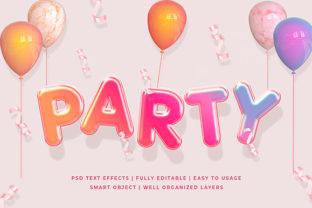
Magma 3D Text Effect Mockup: A Powerful Tool for Creative Projects
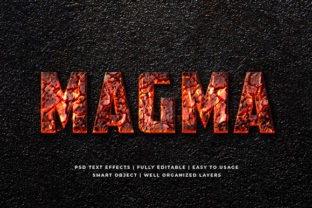
Creating eye-catching designs for your website, social media, or marketing materials has never been easier with the Magma 3D Text Effect Mockup. This versatile design asset allows you to add a dramatic and modern look to any text-based project. Whether you're a beginner or a professional designer, this mockup provides an easy-to-use solution that enhances your creative output without requiring advanced skills.
The Magma 3D Text Effect Mockup is more than just a visual enhancement—it's a practical tool that helps you stand out in a crowded digital space. With its high-resolution quality and fully layered structure, it’s designed to be flexible and efficient, making it ideal for a wide range of uses from logos to banners and beyond.
Why Choose Magma 3D Text Effect Mockup?
One of the key reasons people choose the Magma 3D Text Effect Mockup is its Smart Object Replacement feature. This means you can easily replace the default text with your own custom content without having to rework the entire design. It’s a time-saver for anyone who needs to create multiple versions of a design quickly.
Another major benefit is the 100 editable elements included in the package. These allow for extensive customization, ensuring your final product matches your brand identity or project requirements precisely. The high-resolution format (2000x1300 pixels) ensures that your designs remain crisp and clear even when used on large displays or printed materials.
The mockup also features fully layered, well-organized folders, which makes navigating and editing the file much simpler. This organization is especially helpful for those who may not have experience working with complex Photoshop files.
Common Mistakes and How to Avoid Them
While the Magma 3D Text Effect Mockup is user-friendly, there are some common mistakes that users make when using it. One of these is assuming that all layers are editable. In reality, some parts of the mockup may be locked or grouped together. Before making changes, always check the layer panel to ensure you’re modifying the right elements.
Another mistake is using the mockup without understanding its intended use. For example, applying it to a low-resolution image or background can reduce the overall quality of the final output. Always pair the mockup with high-quality images or backgrounds to maintain a professional look.
Sometimes, users might overlook the importance of checking the resolution before exporting their final design. If you plan to use the mockup for print, ensure that your final export is set to at least 300 DPI. Using it for web purposes only requires a lower resolution, but it’s still important to verify the settings.
Some creators also fail to consider how the text effect will look in different color schemes. The magma effect works best with dark or contrasting colors. Experimenting with different hues can help you find the perfect match for your project.
Realistic Examples and Better Approaches
Let’s say you're designing a Facebook cover for your business page. Instead of using plain text, you could apply the Magma 3D Text Effect Mockup to make your headline pop. By replacing the default text with your company name and adding a relevant background, you’ll instantly create a more engaging and professional cover.
If you're creating a T-shirt design, the mockup can be used as a template to visualize how the text will appear on fabric. You can experiment with different fonts, sizes, and placements to find the best layout before printing.
For website banners, the Magma 3D Text Effect can draw attention to key messages or promotions. Pairing it with a subtle gradient or background image can enhance the visual appeal while keeping the focus on the text.
Always remember to test your design across different devices and screen sizes. What looks great on a desktop may not scale well on a mobile device. Ensuring responsiveness is crucial for maintaining a consistent user experience.
What to Check Before Using the Mockup
Before downloading or purchasing the Magma 3D Text Effect Mockup, it’s important to review the file details. Make sure the format is compatible with your design software—most mockups come in .PSD format, which works well with Adobe Photoshop.
Check if the mockup includes readme files or tutorials that explain how to use it effectively. These resources can save you time and help you avoid common pitfalls.
Also, confirm whether the mockup is free or requires purchase. Some high-quality assets are available for free, while others require a license for commercial use. Always read the licensing agreement carefully to understand what you can and cannot do with the mockup.
Lastly, look for reviews or testimonials from other users. This can give you insight into the mockup’s performance and reliability before committing to it.
Final Thoughts
The Magma 3D Text Effect Mockup is a valuable asset for anyone looking to elevate their design work. Its ease of use, flexibility, and high-quality visuals make it suitable for both beginners and professionals. By avoiding common mistakes and following best practices, you can maximize the potential of this tool and achieve outstanding results in your creative projects.
Whether you're designing a logo, banner, poster, or social media cover, the Magma 3D Text Effect Mockup offers a powerful way to add depth and impact to your text. Take the time to explore its features and experiment with different applications to discover new ways to enhance your designs.