Creative White Color 3d Text Effect: A Practical Guide to Features and Use Cases
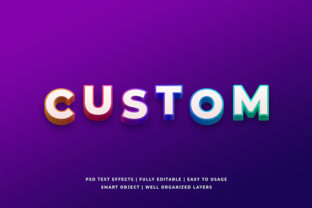
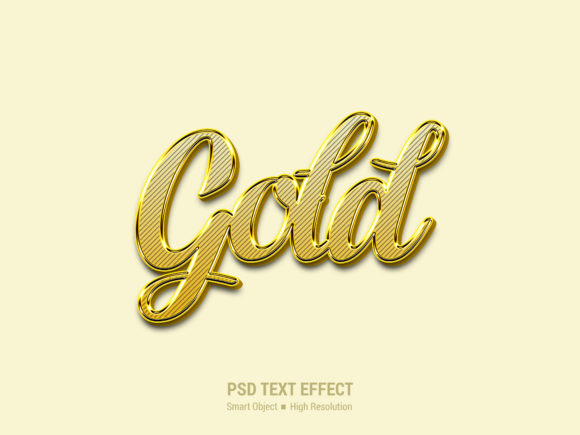
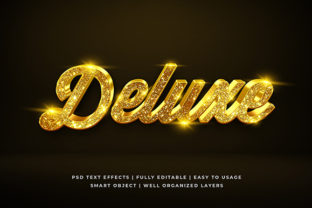
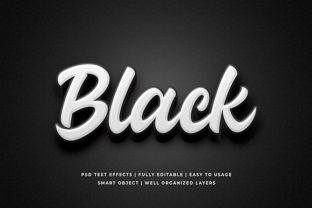
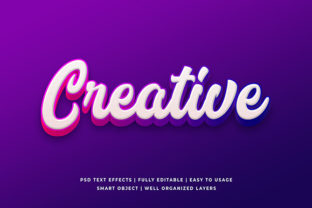
In the realm of digital design, few visual elements command attention quite like a well-executed three-dimensional text effect. The Creative White Color 3d Text Effect stands out as a versatile resource for professionals and hobbyists alike who seek a clean, modern aesthetic without the steep learning curve associated with manual modeling. This specific style leverages high-resolution rendering techniques to create depth and dimension using a pristine white palette, making it an ideal choice for projects requiring clarity, elegance, or a minimalist approach.
Unlike flat typography that can sometimes get lost against busy backgrounds, this 3D effect introduces shadowing, highlights, and perspective that make the text pop while maintaining a sophisticated look. Whether you are designing a social media banner or a physical print advertisement, understanding the capabilities of this asset is crucial for achieving professional results efficiently.
Distinguishing Features and Technical Specifications
The primary allure of the Creative White Color 3d Text Effect lies in its balance between visual impact and technical accessibility. At a resolution of 2000x1300 pixels, the file offers sufficient detail for both web display and large-format printing. This pixel density ensures that when the text is scaled up for posters or down for mobile wallpapers, the edges remain crisp and the gradients smooth, avoiding the pixelation that often plagues lower-quality assets.
A critical component of this design tool is the inclusion of Smart Object Replacement. In the context of Adobe Photoshop and similar raster graphics editors, Smart Objects allow designers to embed image data that retains its original source quality. When applied to text effects, this means you can change the content of the text layer without losing the complex lighting, bevels, and drop shadows that define the 3D look. This feature significantly streamlines the workflow, eliminating the need to rebuild the effect from scratch every time a client requests a new word or phrase.
Furthermore, the asset is fully layered and organized into folders. For users who have ever struggled to navigate a chaotic layer panel, this organization is invaluable. Each element of the 3D illusion—such as the base shape, the extrusion, the specular highlights, and the ambient occlusion—is separated logically. This structure not only makes the file easy to edit but also serves as an educational tool, allowing users to inspect how different layers contribute to the final appearance.
Comparison with Manual 3D Modeling Approaches
When evaluating the Creative White Color 3d Text Effect, it is helpful to compare it against the alternative method: building 3D text manually using specialized software like Blender, Cinema 4D, or even advanced Photoshop plugins. While manual modeling offers unlimited customization, it requires a significant investment of time and technical skill. Designers must understand lighting setups, camera angles, texture mapping, and rendering engines.
In contrast, pre-made 3D text effects operate on a "No Skill Requirement" basis for the core execution. This distinction is vital for small business owners, freelance marketers, or graphic designers working under tight deadlines. If a project requires a quick turnaround for a Facebook cover or a YouTube thumbnail, spending hours configuring a 3D scene may not be feasible. The Creative White Color 3d Text Effect provides a near-instantaneous solution that mimics the complexity of a custom render.
However, there are tradeoffs. A pre-made effect has fixed geometry and lighting parameters. If a designer needs a specific, unconventional angle or a unique material texture that deviates from the standard white glossy finish, they may find the preset too restrictive. In such cases, a full 3D modeling suite remains the superior choice. Yet, for the vast majority of standard promotional materials, the preset effect offers a level of polish that would be difficult to achieve quickly through manual methods.
Versatility Across Digital and Print Media
The utility of this text effect extends far beyond simple decorative purposes. Its neutral white color scheme is particularly advantageous because it acts as a universal canvas. Unlike colored 3D text, which might clash with a brand's existing color palette, white can be easily recolored via adjustment layers or blending modes to match any corporate identity while retaining the 3D depth.
Website Elements and User Interfaces: On websites, where screen real estate is at a premium, the 3D effect adds a tactile quality that encourages user interaction. It works exceptionally well for call-to-action buttons or hero section headers, providing a sense of importance without overwhelming the layout.
Social Media Assets: Platforms like Instagram, Facebook, Twitter, and YouTube rely heavily on visual hierarchy. A Facebook cover or YouTube channel art featuring this text effect can instantly elevate the perceived professionalism of a profile. The high resolution ensures that the text remains legible even on high-density mobile displays, which is a common pain point for many social media templates.
Print Applications: The transition from digital to print is seamless due to the 2000x1300 pixel resolution. This size is suitable for various print dimensions, including flyers, posters, and placards. In the context of T-shirt design and clothing, the effect translates well to screen printing or direct-to-garment (DTG) printing, provided the color mode is adjusted correctly. The clean lines of the white 3D text stand out beautifully against dark fabrics, creating a striking contrast.
Promotional Materials: For banner promotions and logo presentations, the effect adds a layer of sophistication. It suggests that the brand is established and detail-oriented. Similarly, for greeting cards and illustrations, the soft shading of the white 3D text can evoke feelings of celebration or formality depending on the font choice paired with the effect.
Evaluating Ease of Use and Editability
One of the most significant factors in choosing a design resource is the barrier to entry. The No Skill Requirement claim for this asset is not merely marketing fluff; it reflects the actual usability of the file. Because the layers are well-organized, a novice user can simply select the text layer, type their desired message, and see the 3D effect update automatically.
This contrasts sharply with other resources where users must manually apply layer styles, manipulate vector paths, or adjust complex filter settings. The Easy To edit nature of the file empowers users to focus on the creative content rather than the technical mechanics. For instance, if a marketer needs to update a Twitter cover to reflect a new campaign slogan, they can do so in minutes rather than hours.
Additionally, the Smart Object Replacement feature allows for non-destructive editing. Users can swap out the texture within the text or change the background environment without altering the fundamental 3D structure. This flexibility is essential for iterative design processes where feedback loops require multiple revisions.
Decision Factors: When to Choose This Effect
Selecting the right tool depends heavily on the specific goals of the project. The Creative White Color 3d Text Effect is the optimal choice when speed, consistency, and a clean aesthetic are priorities. It is particularly well-suited for:
- Rapid Prototyping: When testing multiple design concepts for a client presentation, having a pre-built 3D effect allows for quick variations.
- Brand Consistency: Since the effect is standardized, it ensures that all materials—from e-books to ad banners—share a unified visual language.
- Resource Constraints: For individuals or small teams without access to expensive 3D rendering hardware or software licenses, this asset provides a high-end look at no extra cost.
Conversely, there are scenarios where this effect might not be the best fit. If a project demands a highly stylized, avant-garde look that breaks away from traditional lighting models, a custom 3D model would be more appropriate. Similarly, if the project involves extreme scaling, such as billboards larger than the native 2000x1300 resolution can support without interpolation, the user must ensure the source file supports higher output or use vector-based alternatives.
Another consideration is the medium. While the effect works well for screens and standard print sizes, extremely fine details in the 3D shading might get lost in low-quality print runs. In such cases, simplifying the effect or adjusting the line weights might be necessary before sending to press.
Maximizing Value Through Integration
To get the most out of the Creative White Color 3d Text Effect, designers should view it as part of a broader toolkit rather than a standalone solution. Combining the 3D text with high-quality photography, balanced whitespace, and complementary typography can elevate a basic design to a professional masterpiece. The organized folder structure allows for easy experimentation; users can hide or show specific layers to alter the intensity of the shadows or the brightness of the highlights, tailoring the effect to the specific lighting conditions of their background image.
For those looking to expand their repertoire, the ability to modify the layers opens the door to learning more about 3D principles. By observing how the light interacts with the extruded faces, users can gradually develop the skills needed to tackle more complex projects in the future.
In summary, the Creative White Color 3d Text Effect represents a practical intersection of aesthetics and efficiency. It bridges the gap between amateur capabilities and professional standards, offering a robust solution for a wide array of design challenges. Whether used for clothing designs, digital covers, or corporate branding, its combination of high resolution, smart object functionality, and ease of use makes it a valuable asset for anyone serious about visual communication.